 PawProof
Turn pet vaccine records into organized digital files
Take a clear photo, review the details PawProof reads, and save the original certificate with the right pet. A digital pet vaccine record stays useful because the summary and its source remain together.

 Scan with your iPhone camera to download.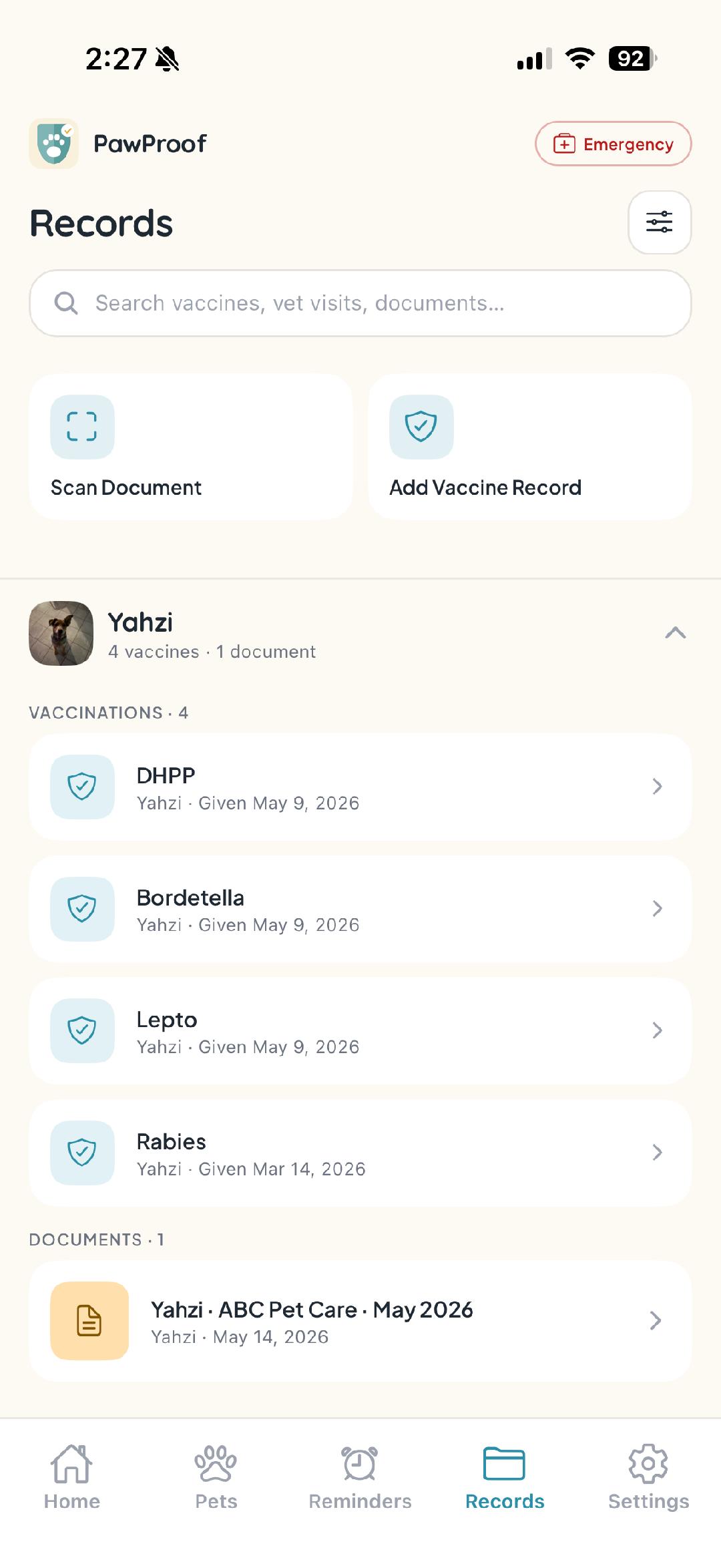
When paperwork is spread across email, a camera roll, and a kitchen drawer, finding one pet vaccination record can take longer than it should. PawProof helps you scan the document you already have, confirm the extracted information, and keep the saved record attached to the correct pet.
- +Photograph an existing certificate or record
- +Review extracted names, dates, clinic details, and expiration information
- +Keep the original image or document with the saved entry
- +Separate records by pet in a busy multi-pet household
- +Share the source document or export a current PDF summary
Keep pet vaccine records tied to their source
A summary is easier to trust when the original proof is close by. PawProof stores the photo or document with the entry, so you can check what was recorded instead of relying on a copied date with no context.
Review every scanned detail before saving
Smart Scan reduces typing, but you stay in control. Confirm the extracted information against the certificate before adding it to the pet's history, especially when a photo is faint, folded, or handwritten.
Keep rabies proof available with the rest of the history
A rabies vaccination record can be requested long after the appointment. Save the certificate and the information supplied by your veterinarian in the same pet profile, then share the current source document or summary when it is needed.
Frequently asked questions
- What kind of vaccine paperwork can I scan?
- You can scan a clear certificate, vaccine card, invoice, or visit document. Review the extracted details against the source before saving them.
- Does PawProof keep the original certificate?
- Yes. The original image or document can stay attached to the saved entry, giving you both the source and an organized summary.
- Does PawProof recommend vaccines or due dates?
- No. PawProof organizes the documents and dates you enter or confirm. Your veterinarian determines which vaccines and timing are appropriate for each pet.
- Can I share a scanned record?
- You can share the supporting document or export a current PDF summary based on the information saved in PawProof.
Get every pet organized today
Free to start, no account needed to look around. Download PawProof and take the paperwork off your plate.